.png)

Table of contents
With a One-Shot, you set up a single print mailing in optilyz and fill it from your API, your marketing integration, or CSV files. You check the addresses when you want, select the delivery timeline and see the price, and book when you are ready.
Why We Built It
Until now, optilyz gave you two ways to send print mailings:
- An automation runs all the time. It collects recipients from your API, CDP or Marketing Cloud and creates mailings on a schedule. That is right for recurring flows.
- A one-time mailing took exactly one CSV file, uploaded during setup.
Many campaigns need something of both: a seasonal sale, a product launch, or an event invitation. You want to send once, but your recipients live in your marketing integration, come in through your API, or sit in several files. A One-Shot is made for that.
How It Works
0. Check your Design files
Before launching your campaign, ensure your artwork is print-ready and optimized for maximum conversion. Need expert eyes on your layout? You can now leverage our new AI Design Feedback feature - your 24/7 automated consultant that evaluates your design across six critical pillars (such as CTA clarity, eye flow, copy, and incentive positioning) to provide instant, actionable optimization tips before your mailing ever hits the press.
1. Set up your mailing
Give your One-Shot a name, choose the delivery country, your material, the visuals for each variation, and your control addresses. You also choose your validation rules - for example, whether duplicates stay in.
2. Collect your recipients
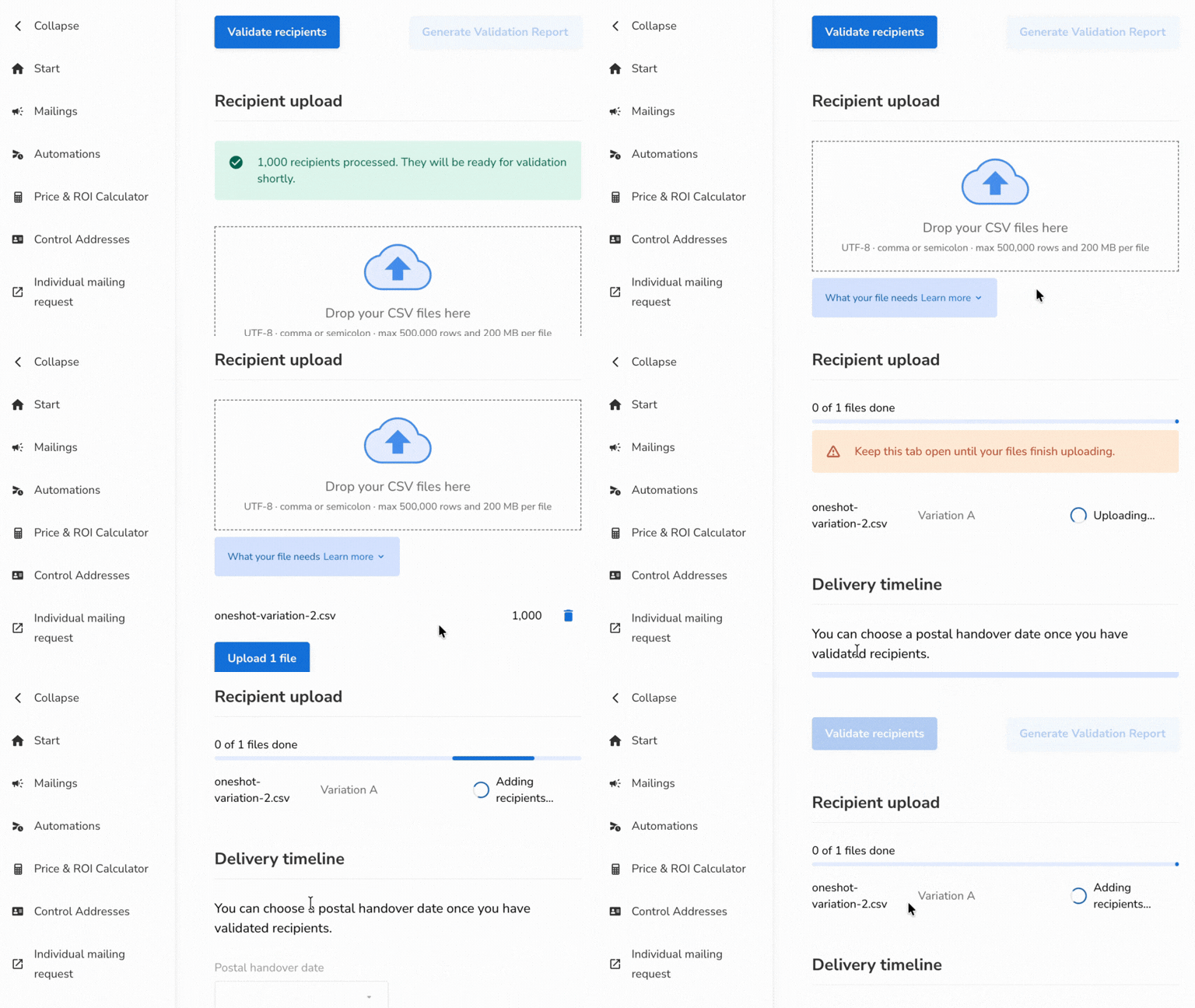
Click "Start collecting recipients". Then send recipients from your API or your marketing integration, or upload CSV files. You can drop several CSV files at once and assign each one to a variation. We check the column names before the upload and tell you exactly what to fix. All sources can feed the same One-Shot.
3. Validate when you want
Click "Validate recipients" whenever new recipients have arrived. You see live counts: how many recipients will be sent, how many will be removed, and how many are still waiting. Need the details? Download the validation report.
4. Choose your date, check the price, book
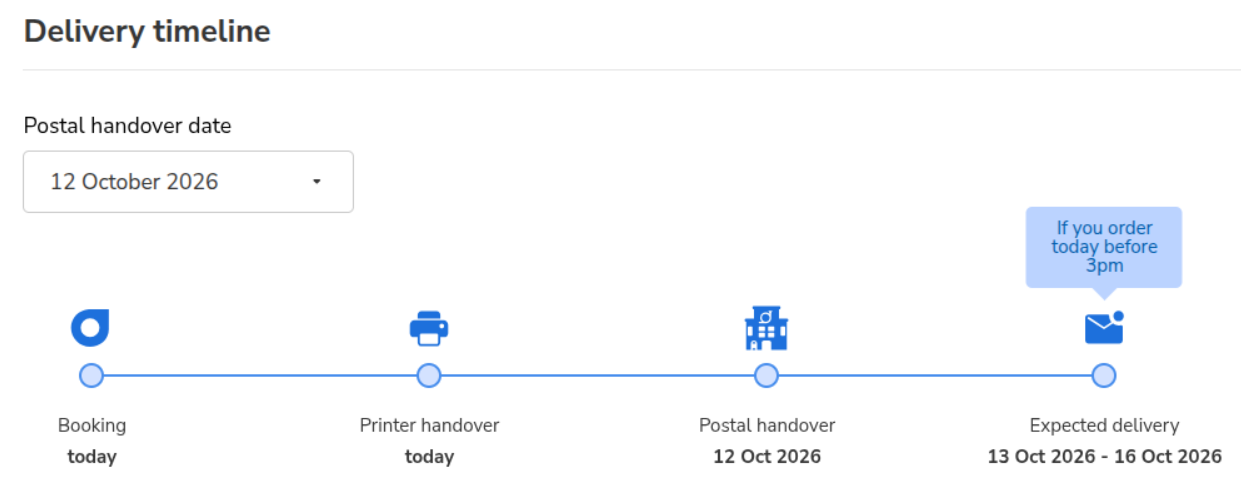
Pick your postal handover date. You see every step until delivery: when your mailing goes to print, when it goes to the post, and when your recipients can expect it. You also see what it costs: print, postage, and the total. When everything fits, click "Book". We prepare your mailing and take you to it.
What You Need
- An optilyz account with One-Shots switched on.
- Recipients from at least one source: the API, Emarsys, Salesforce Marketing Cloud, or CSV files.
- For a marketing integration: a data mapping (set up directly on the One-Shot page).
- For CSV files: UTF-8 encoding, comma or semicolon separator, up to 500,000 rows and 200 MB per file.
Availability
Our first customers have already booked their first One-Shots. We are now switching One-Shots on step by step.
Want to send your first One-Shot? Reach out to your Customer Success manager.
Need help? Check our help center article for more information here.